OverviewFeaturesPricingFAQLog in Get the app

Features

Everything you need.
Nothing you don't.

Build forms, fill them in the field, deliver branded PDFs. SwiftSheet handles the whole loop - from iPad to your customer's inbox.

Form builder

Build forms on your iPad.

Tap to add fields, set them up the way you want, save and start collecting. No desktop computer required - the full builder lives on iOS.
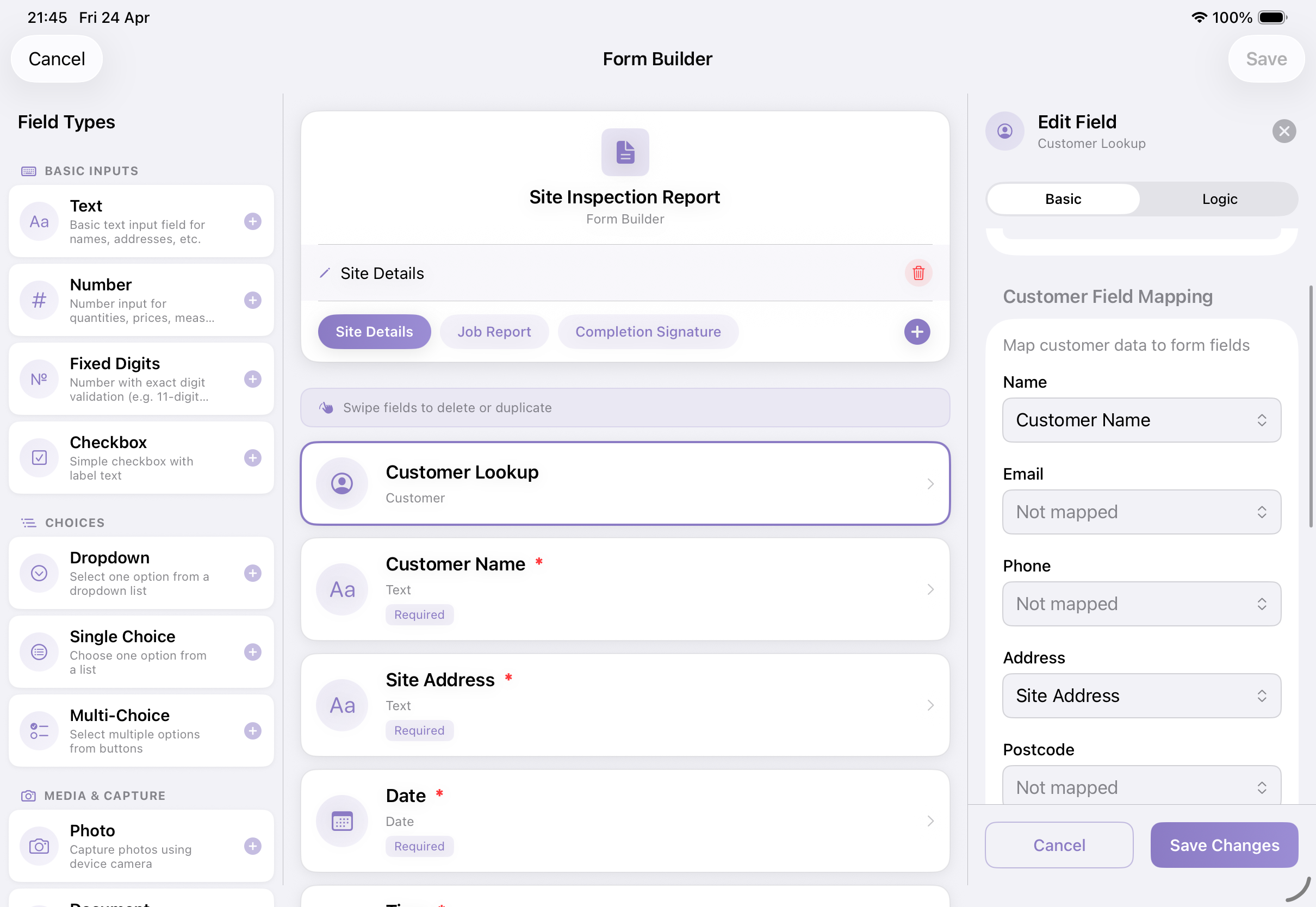
  • 12+ field types, one tap to add
  • Conditional logic that hides or shows fields
  • Multi-page forms for longer jobs
  • Works on iPad and iPhone - just laid out for the room
Form Builder with field options

PDF designer

Pixel-perfect PDFs.

Design exactly how your finished PDF looks. Place fields where you want them, match your brand, create multi-column layouts.
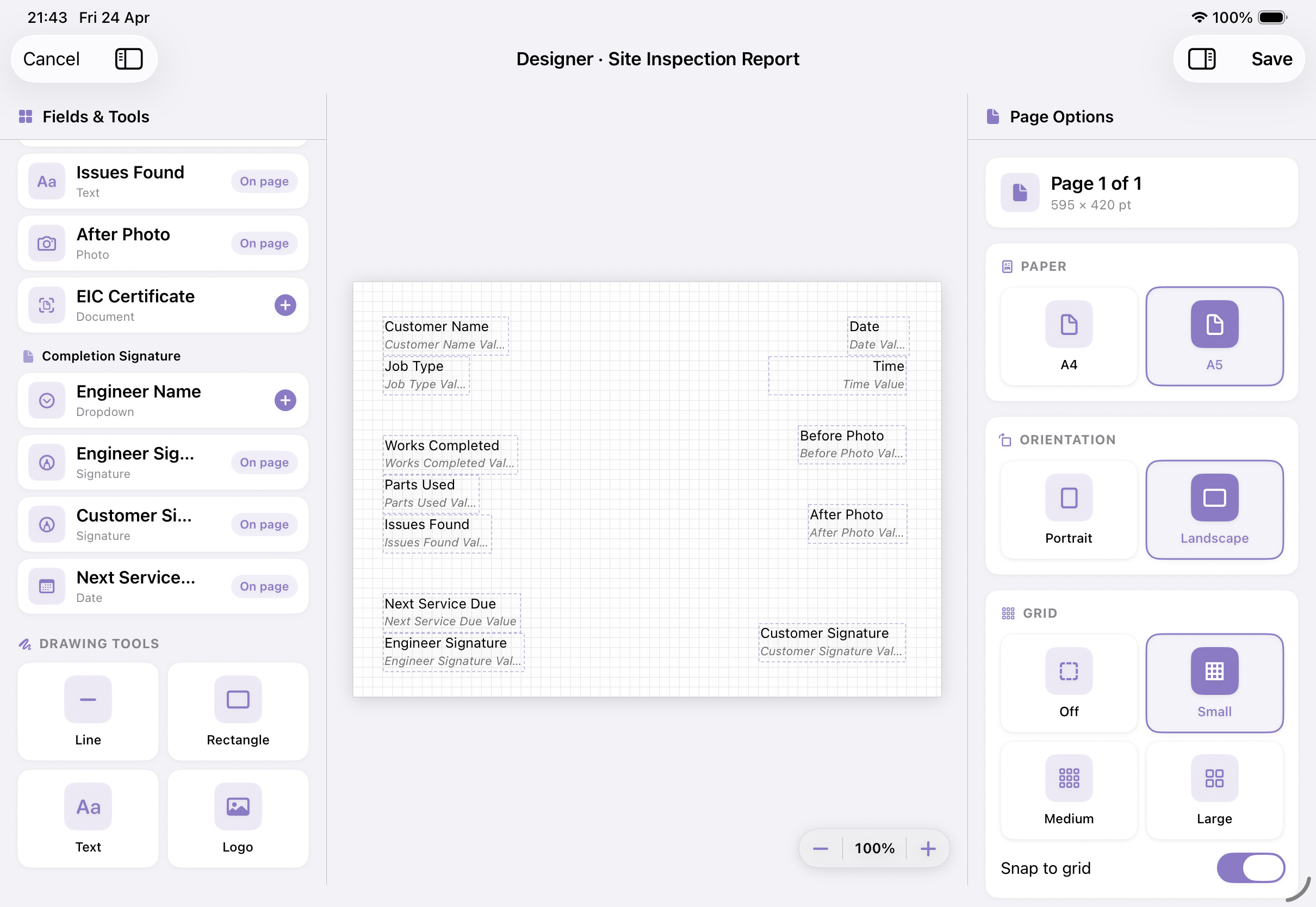
  • Drag-and-drop PDF canvas
  • Your logo, colours, and typography
  • Multi-column layouts in A4 and A5
  • Preview before you submit
PDF Designer on iPad

Customer lookup

Your customers, one tap away.

Keep every customer's details, photos, and notes together. Auto-fill forms for repeat visits - job done in seconds instead of minutes.
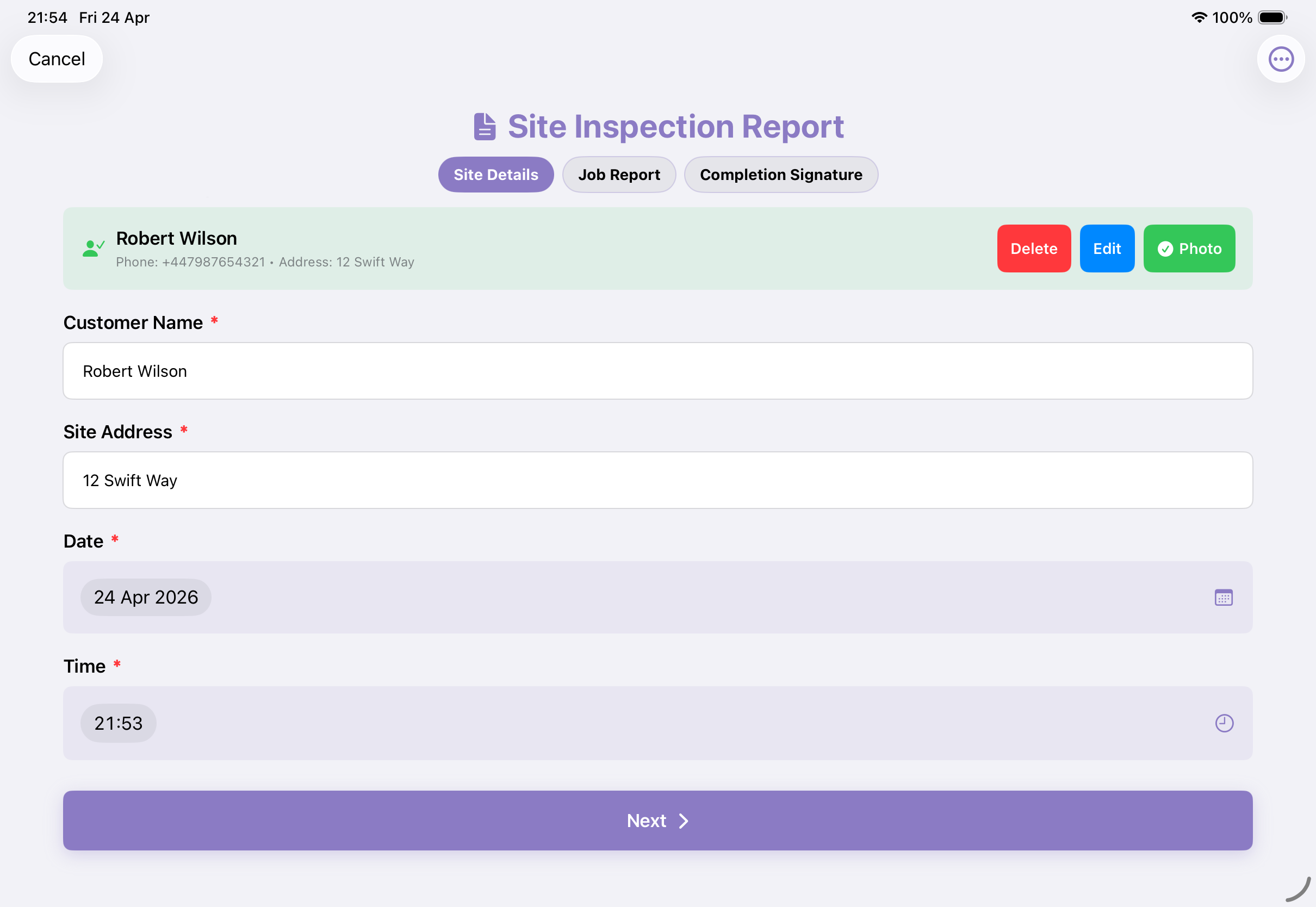
  • Encrypted customer records (AES-256)
  • Photo ID capture with secure storage
  • Auto-fill forms from a single lookup
  • Search across forms and submissions
Customer lookup with auto-filled form on iPad

AI form builder Beta

Describe the job. Get a form.

Say what you collect in plain English - photos, signatures, conditions, even calculations. The AI turns your description into a working form. Preview, tweak, save.
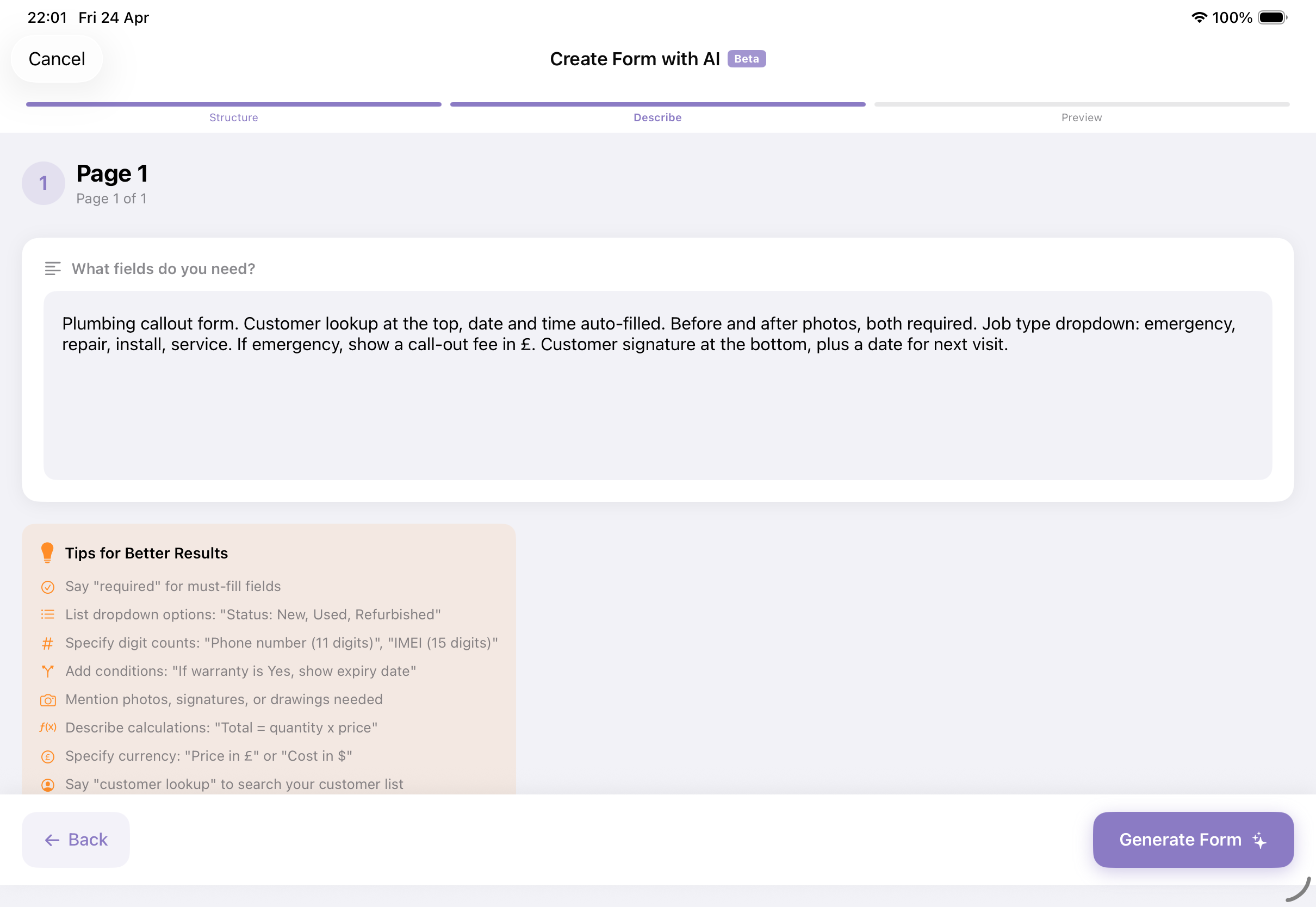
  • Plain English in, working form out
  • Understands conditions, calculations, and currency
  • Photos, signatures, and customer lookup built-in
  • Preview before saving
AI Form Builder on iPad

Offline mode

Works where you work.

No signal? No problem. Forms, photos, signatures - all captured locally on your device. Everything syncs automatically when you're back online.
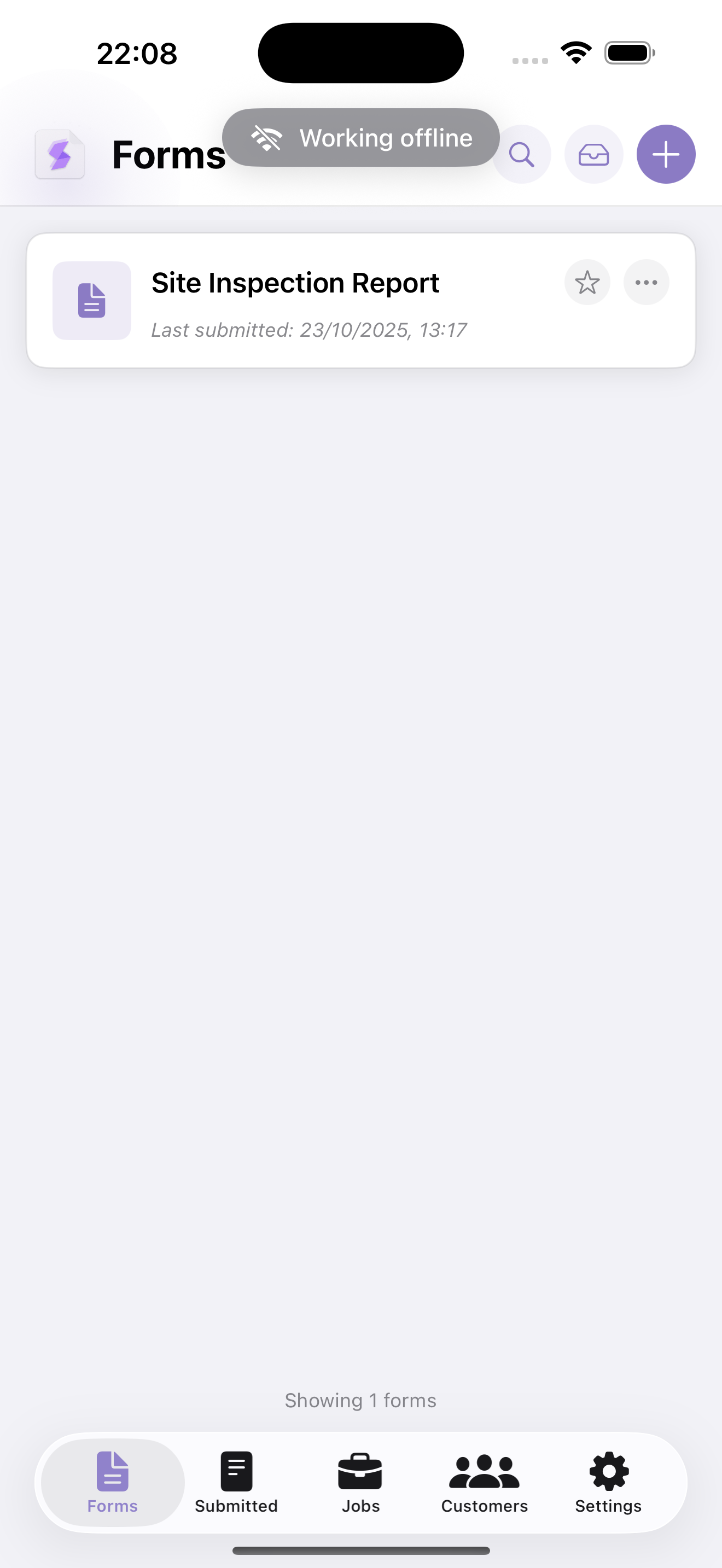
  • Fill forms with zero connectivity
  • Capture photos and signatures offline
  • Auto-sync on reconnect, no manual upload
  • Visual indicator shows pending syncs
Offline mode on iPhone

See what you get

Professional PDFs, delivered.

Every submission becomes a clean, branded PDF instantly. Emailed to your customer or synced to the cloud storage of your choice - before you've started the engine.
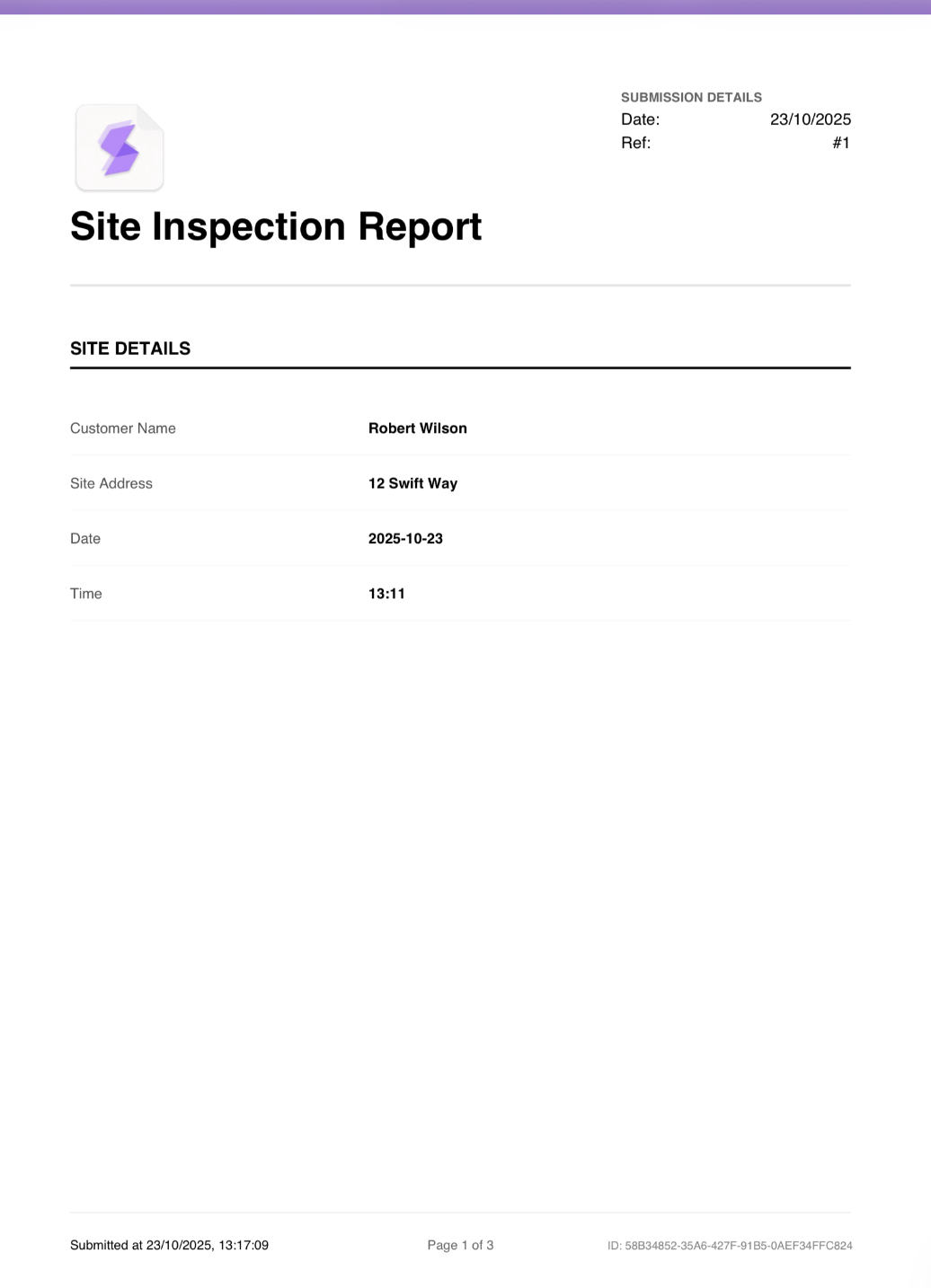
  • Auto-generated from every submission
  • Your logo, your brand colours
  • Delivered by email or cloud sync
  • Dropbox, OneDrive, or Google Drive
Real finished PDF output

And plenty more

The bits that add up.

GPS stamping
Stamp photos with GPS coordinates for audit trails.
Signature capture
On-screen signatures, rendered as real images on the PDF.
Photo annotation
Draw on site photos - arrows, circles, callouts.
Cloud sync
Auto-upload to Dropbox, OneDrive, or Google Drive.
CSV exports
Pull your submissions into spreadsheets or accounting software.
Shared templates
Start from a template, adapt it to your business in minutes.
Conditional logic
Show or hide fields based on what's been answered.
Web + iOS sync
Everything you do syncs across every device instantly.

Try every feature for 7 days.

Full access, no card required. Download on iPad or iPhone.

Get the app